Minecraft Garten of Banban2.0
Publisher Description
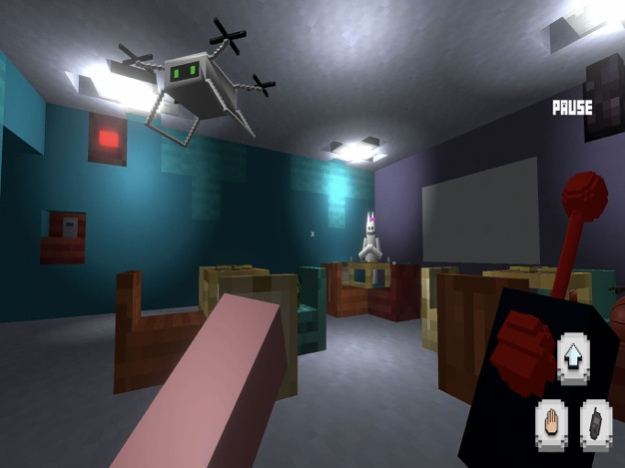


Minecraft Garten of Banban is unique blend of horror game that takes players on a terrifying adventure through an abandoned kindergarten. As the protagonist, you find yourself trapped inside a nightmarish version of your childhood school, filled with dark secrets and lurking horrors. Your only hope of survival lies in completing tasks and evading the relentless monsters that roam the halls.
To escape this haunted place, you must embark on a series of nerve-wracking missions. Each successful completion brings you one step closer to unlocking the exit door and freedom from this living nightmare.
However, it won't be an easy journey, the kindergarten is plagued by malevolent creatures, you must remain stealthy and use your wits to avoid confrontation, as direct confrontation could prove fatal.
Aug 3, 2023
Version 2.0
Fixed Bugs.
About Minecraft Garten of Banban
The company that develops Minecraft Garten of Banban is EMB-GROUP LTD. The latest version released by its developer is 2.0.
To install Minecraft Garten of Banban on your iOS device, just click the green Continue To App button above to start the installation process. The app is listed on our website since 2023-08-03 and was downloaded 2 times. We have already checked if the download link is safe, however for your own protection we recommend that you scan the downloaded app with your antivirus. Your antivirus may detect the Minecraft Garten of Banban as malware if the download link is broken.
How to install Minecraft Garten of Banban on your iOS device:
- Click on the Continue To App button on our website. This will redirect you to the App Store.
- Once the Minecraft Garten of Banban is shown in the iTunes listing of your iOS device, you can start its download and installation. Tap on the GET button to the right of the app to start downloading it.
- If you are not logged-in the iOS appstore app, you'll be prompted for your your Apple ID and/or password.
- After Minecraft Garten of Banban is downloaded, you'll see an INSTALL button to the right. Tap on it to start the actual installation of the iOS app.
- Once installation is finished you can tap on the OPEN button to start it. Its icon will also be added to your device home screen.
Program Details
System requirements
Download information
Pricing
Version History
version 2.0
posted on 2023-08-03
Aug 3, 2023
Version 2.0
Fixed Bugs.
